
Oracle publishes a JD Edwards EnterpriseOne Trial Edition on the Oracle Cloud Marketplace. It is the quickest way to get a complete EnterpriseOne environment for a demo, a test or a training session.
Prerequisites
- An Oracle Cloud account: a paid subscription or a free-tier account on Oracle Cloud Infrastructure (OCI).
1. Find the listing on the Oracle Cloud Marketplace
- Go to the Oracle Cloud Marketplace.
- Search for JD Edwards EnterpriseOne Trial Edition.
- Open the listing to see its details.
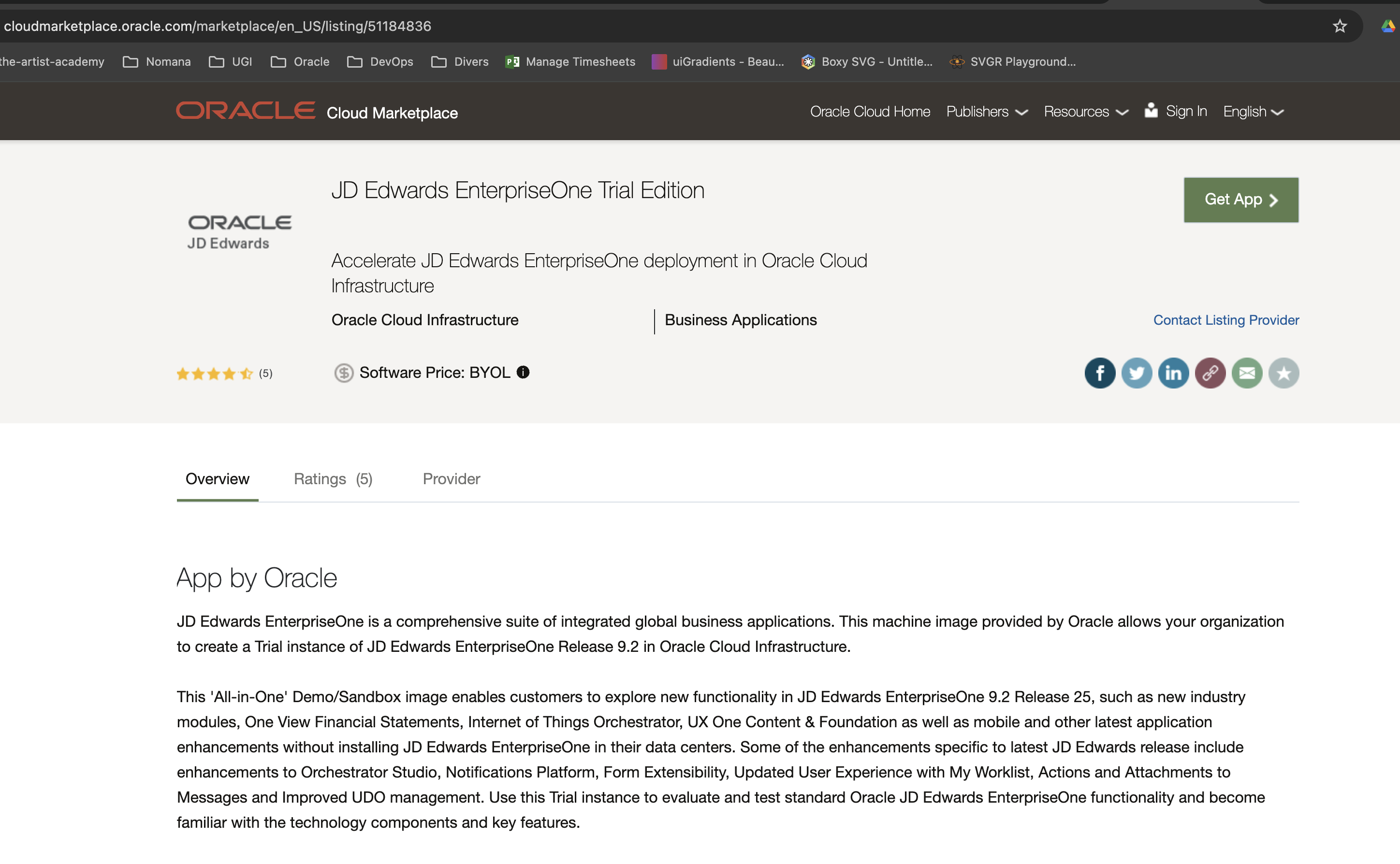
2. Deploy the application
- Click Get App on the listing page.
- Sign in with your Oracle Cloud credentials.
- Accept the Oracle Cloud Marketplace terms.
- Select your OCI compartment and click Launch Instance.
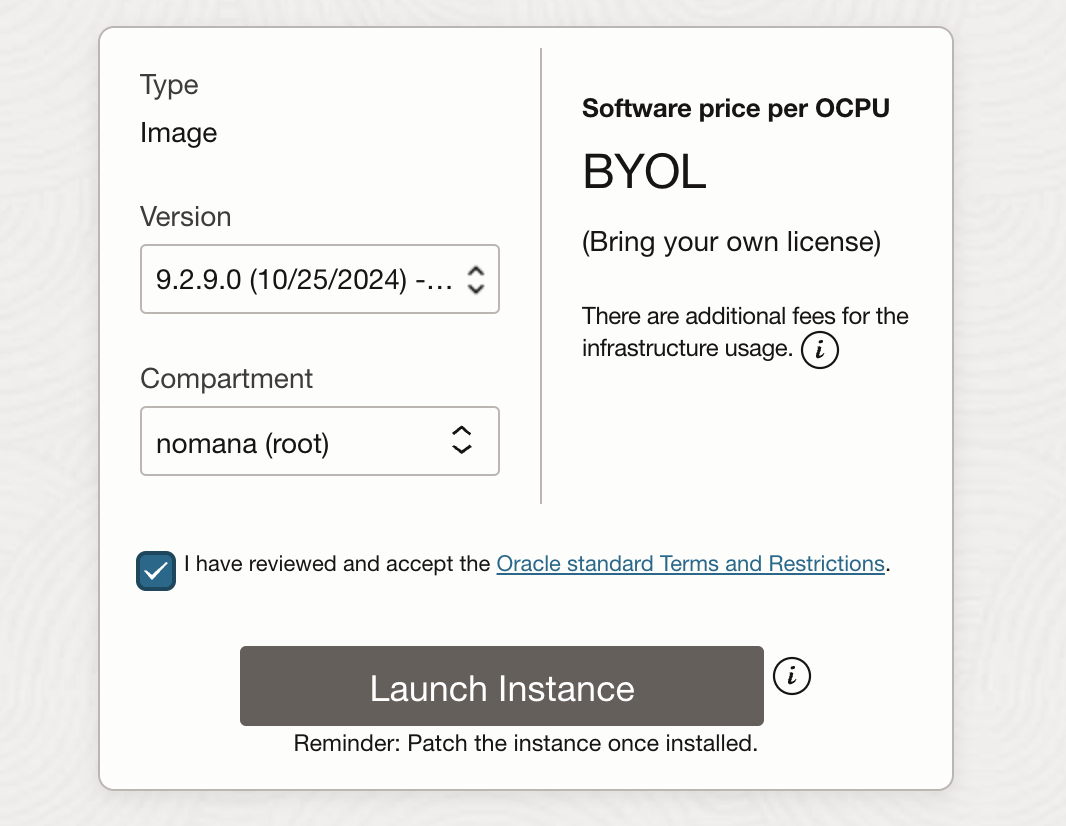
3. Configure the instance
- Instance details — enter a name and choose the compartment.

- Compute shape — choose a shape with enough resources, such as
VM.Standard2.4(or a current equivalent).

- Networking — select an existing Virtual Cloud Network (VCN) and subnet, or create new ones, and assign a public IP address.
- SSH keys — download the generated key or upload your own public key.
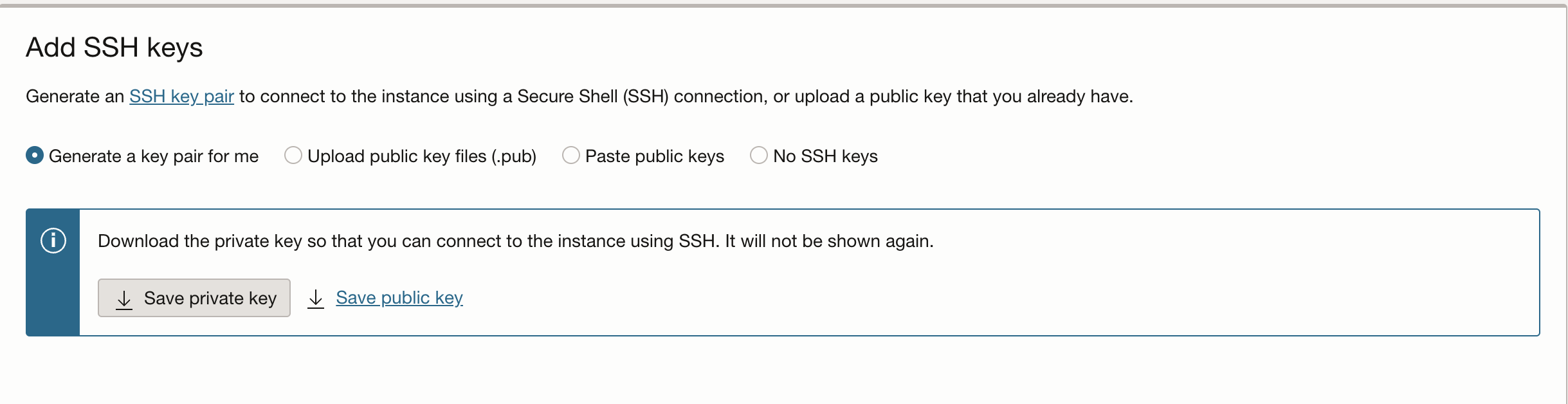
4. Launch the instance
Review the settings and click Create.
5. Finish the setup and log in
-
When the instance is running, connect over SSH:
ssh -i <path_to_private_key> opc@<instance_public_ip> -
Follow the assistant to enter the instance settings (ports, passwords).
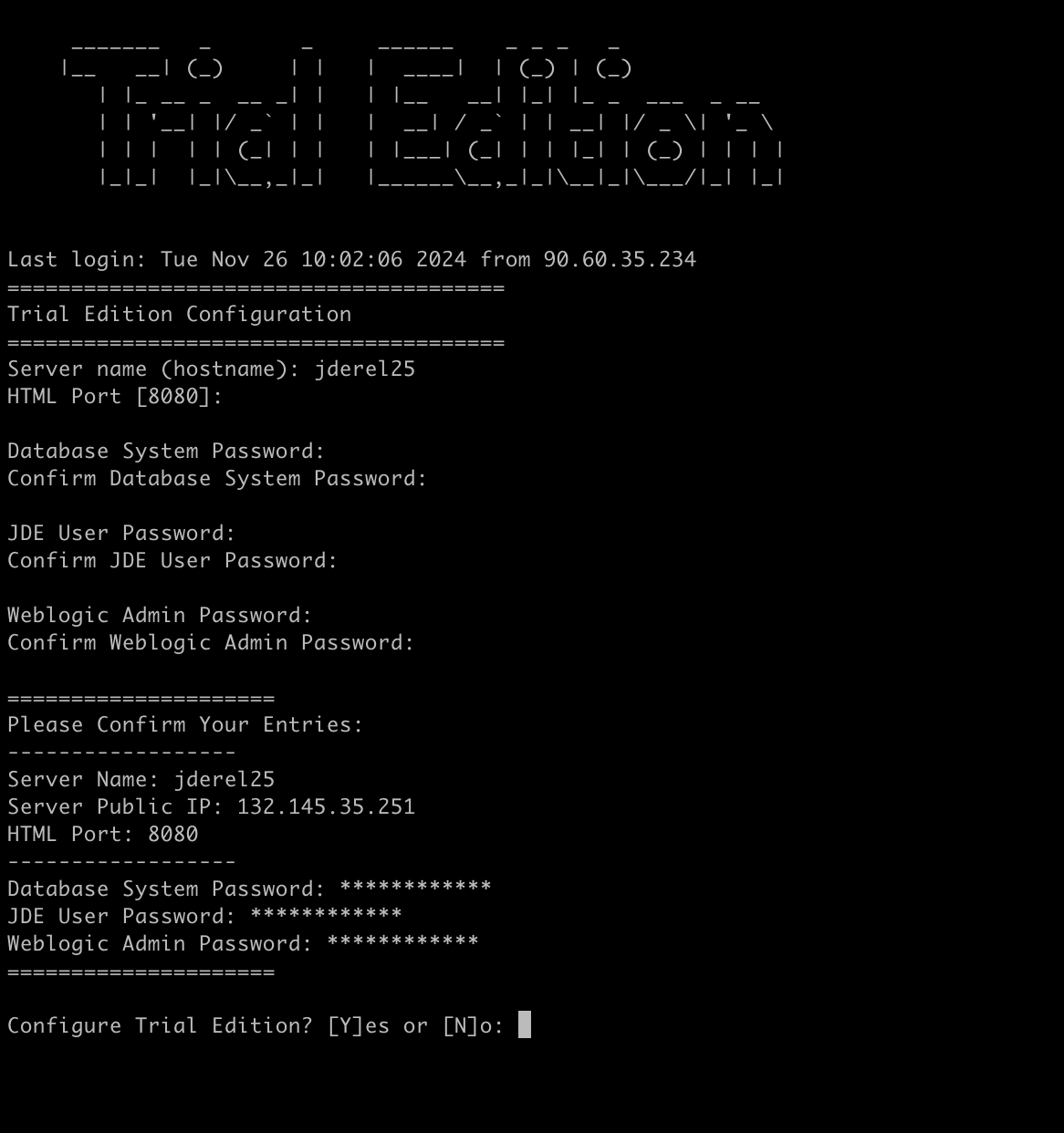
-
Open the EnterpriseOne web client on the public IP and the HTML port (default
8080):http://<instance_public_ip>:8080 -
Sign in with the credentials defined during setup.
Going further
- JD Edwards EnterpriseOne Trial Edition on the Oracle Cloud Marketplace
- Oracle Cloud Infrastructure documentation
A trial instance is a convenient place to explore EnterpriseOne modules, test integrations (AIS, Orchestrator, BI Publisher) or try companion tools against real JD Edwards tables.